
Items vs Products in SellerTally
SellerTally uses two related but different words for the things you sell: items and products. If you only ever buy exactly what you sell — one unit in, one unit out, nothing combined — you’ll rarely notice the distinction, since for you every sale is a direct item sale. But once you bundle or kit anything together, the difference starts to matter for your costs and your dashboard, so it’s worth understanding early.
The short version
- An item is what you buy. It’s whatever a vendor sells you — a single, physical, purchasable unit with its own cost. An item can also be sold exactly as you bought it — a direct item sale — with the Amazon SKU attached straight to that item. Most sellers who don’t bundle anything sell this way for everything.
- A product is always a bundle. It’s a composition of one or more items — several units, of one or more items, combined into a single thing you sell as its own Amazon SKU. The SKU lives on the product, never on its component items directly (a component item can still carry its own separate SKU if you also sell it on its own — see below). There’s no such thing as a “product” that’s just one item wearing a different label; if it’s not a composition, it’s a direct item sale.
A product only exists once you’ve defined its recipe — which items, and how many of each, go into it. Nothing is a product until that recipe exists.
Why this matters: two real costs that live at different levels
A vendor home-delivery surcharge is an item-level cost. Say one of your vendors charges an extra delivery fee to get a box of a particular item to your door. That surcharge belongs entirely to that item — it doesn’t change no matter which product that item eventually ends up part of, or whether it’s sold directly on its own.
A heavier shipment to Amazon is a product-level cost. Now say you combine three separate items into one bundle before sending it to Amazon FBA. The resulting package is heavier and bulkier than any single item, so it costs more to ship to Amazon — but that extra shipping cost doesn’t exist until the items are actually combined into the product. It’s not a property of any one item; it’s a property of the finished, assembled thing you sell.
This is exactly why SellerTally tracks costs at both levels instead of just one: some costs are genuinely tied to the item you bought, and others only appear once items become the product you bundle and sell.
Where this shows up in SellerTally
-
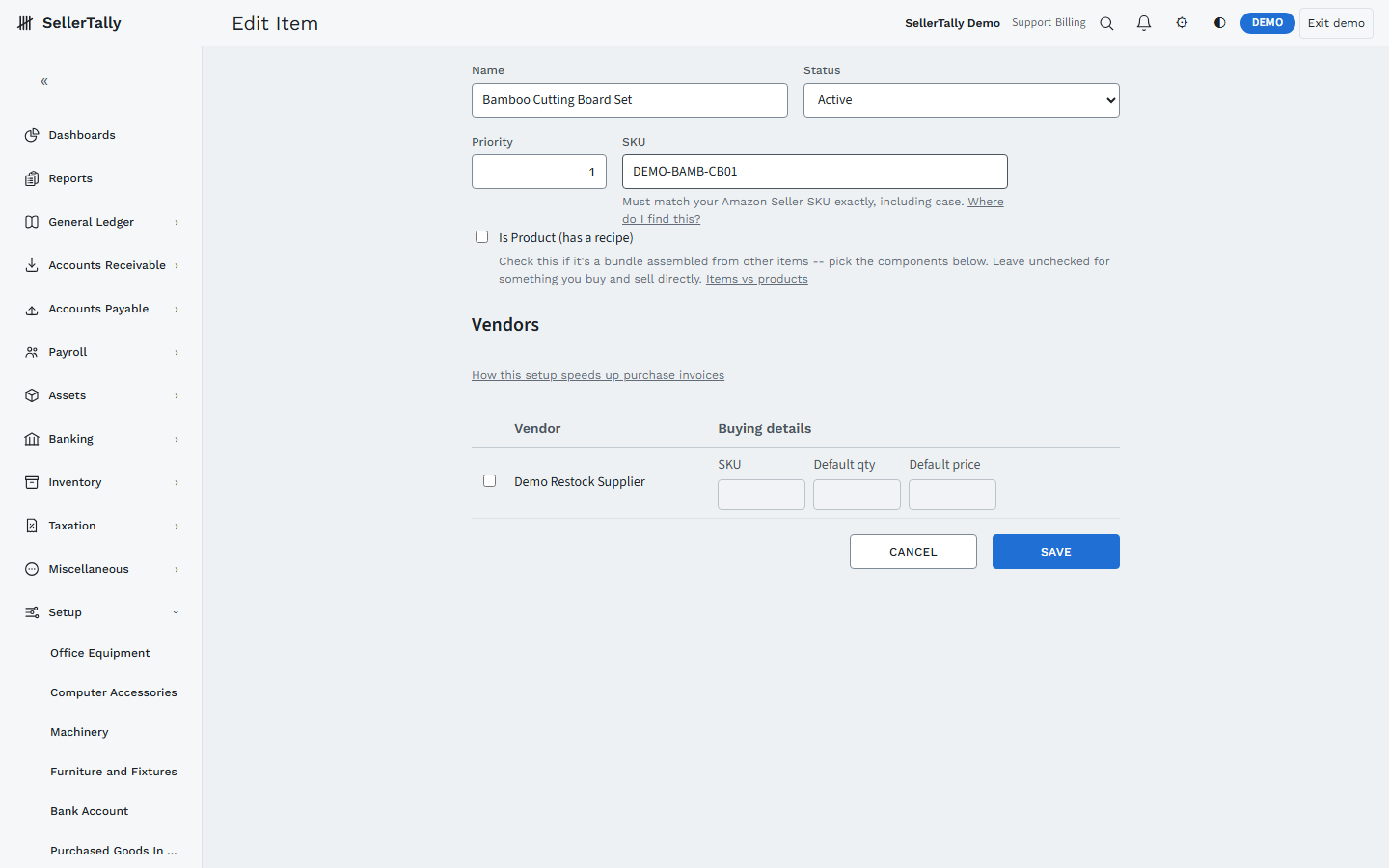
Setup > Item is where you manage everything you buy and sell — both plain items and bundled products live in the same list, distinguished by the “Is Product” checkbox. Checking it is what turns the screen into a recipe picker for choosing component items and quantities.
-
Your SKU Profitability dashboard tab ranks the things you actually sell (revenue, margin, returns) — direct-sale items and bundled products together, at SKU grain. Its two inventory charts (value and units on hand) rank the things you actually hold in stock — item grain, since a bundle’s inventory impact is really its components’ inventory impact. If you don’t bundle anything, these will show the same rows either way.
The one-sentence version
Items are what you buy from vendors and can sell directly as-is; products are always a bundle of one or more items sold together under their own SKU, and any cost that only exists after that bundling belongs to the product, not to any one item inside it.